

Yes, it helps you collect accurate data by sending it through your server, so ad blockers can't block it. if you want clean tracking & fewer missing conversions, stape.io is a smart & easy fix.
- Tracks data even with ad blockers
- Helps fix broken analytics
- Speeds up your website
- Easy setup with templates
- Works with many tools (GA4, Facebook, etc.)
- Helps with privacy and consent rules
- Needs some tech setup (like a custom domain)
Price: $8/mo
Like many marketers and business owners, I was facing a big challenge missing website data, inaccurate tracking across ad platforms, and not being able to see the conversions I knew were there.
After trying out different tools, I started using Stape.io and set up server-side tracking to fix the problem.
In this Stape.io review, I’ll explain what Stape.io is, why server-side tracking matters, and how it can help your business get better data. Let's read on..
What Exactly Is Stape.io?
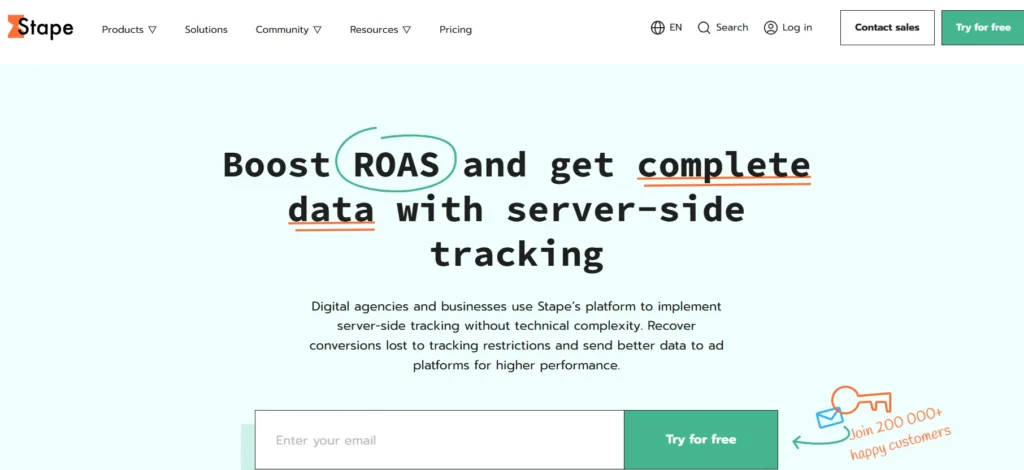
Stape.io is a platform that makes server-side tracking accessible to businesses and digital marketing agencies without requiring deep technical knowledge or complex infrastructure setup.
Think of it as a bridge between your website and your analytics or advertising platforms, but instead of sending data directly from your users' browsers, it routes everything through a server that you control.
The company serves over 200,000 customers worldwide and processes hundreds of millions of tracking requests every single day. They operate hundreds of servers across the globe to ensure fast, reliable tracking for their clients.
Why Server-Side Tracking Matters (And Why I Started Using It)?
Before I explain what Stape.io does specifically, let me tell you why server-side tracking has become essential in 2026.
The Problem With Traditional Client-Side Tracking
For years, websites have tracked user behavior using client-side JavaScript. This means small pieces of code run in your visitor's web browser to collect data about their actions and send this information to platforms like Google Analytics, Facebook Ads, or Google Ads.
This traditional approach has several serious problems:
Ad Blockers Are Everywhere
Millions of internet users now run ad blockers that prevent tracking scripts from loading or working properly.
When I checked my own website analytics before implementing Stape, I realized I was missing data from about 30-40% of my actual visitors because their browsers were blocking my tracking scripts.
Browser Restrictions Keep Getting Tighter
Apple's Safari browser, Firefox, and even Google Chrome have implemented increasingly strict privacy measures.
These browsers limit how long cookies can last, block third-party cookies, and restrict what data can be collected. Safari's Intelligent Tracking Prevention, for example, deletes many tracking cookies after just 7 days, making it nearly impossible to properly attribute conversions that happen after a customer's first visit.
iOS 14 and Privacy Changes
Apple's iOS 14 update fundamentally changed mobile tracking. Many users now opt out of app tracking, which means Facebook, TikTok, and other platforms cannot track user behavior across apps and websites as effectively.
This has devastated the accuracy of advertising data for many businesses.
Data Loss Means Wasted Ad Spend
When your advertising platforms, like Facebook Ads or Google Ads, cannot see all the conversions happening on your website, they cannot optimize campaigns properly.
Their algorithms make decisions based on incomplete data, which means you are essentially paying for advertising while flying blind.
How Server-Side Tracking Solves These Problems?
Server-side tracking changes everything by moving data collection from the user's browser to your own server. Instead of JavaScript running in the browser, your server receives information about user actions, processes this data, and then sends it to your analytics and advertising platforms.
This approach solves the problems I mentioned:
- Ad blockers cannot block you Google Tag Manager and GA4 scripts
- Browser restrictions do not apply to server-side cookies
- You control your own first-party data before sharing it
- You get complete, accurate data to make better business decisions
My Experience: What Stape Really Does?
Now that you understand why server-side tracking matters, let me explain what Stape provides and how I used it.
Core Products and Services
1. Server GTM Hosting
This is Stape's flagship product and what I started with. Server GTM (Google Tag Manager) Hosting gives you a server-side container for Google Tag Manager that runs on Stape's infrastructure.
When I set this up, I was amazed at how much simpler it was compared to setting up server GTM on Google Cloud Platform or Amazon Web Services. With Stape, I literally had my server-side container running in less than 10 minutes. No complex configuration, no wrestling with cloud platforms, no technical headaches.
The hosting comes in two versions:
Global Hosting: Your tracking server can be located in data centers worldwide, automatically routing requests to the nearest server for fastest performance.
EU Hosting: For businesses that need to comply with strict European data protection regulations, Stape offers hosting exclusively on European servers. This was particularly important for some of my clients who serve European customers and need GDPR compliance.
Additional Tools and Features with GTM Hosting
Stape provides several tools that make managing server-side tracking easier:
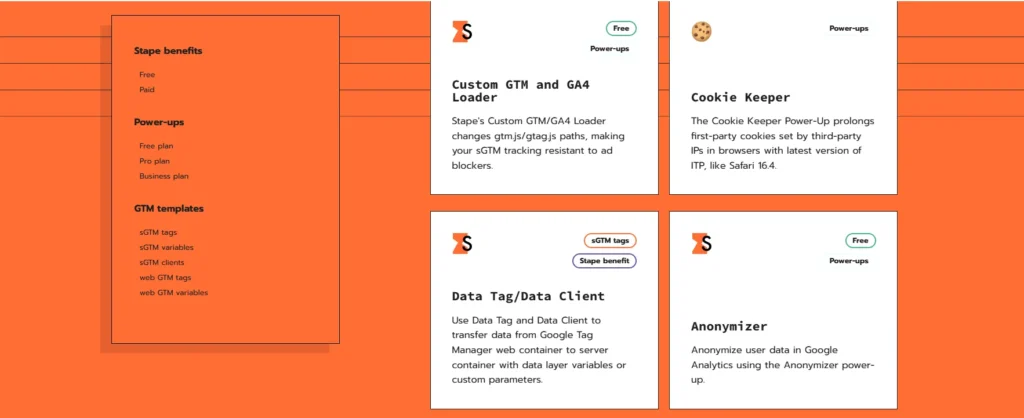
Custom Loader: This power-up makes your Google Tag Manager and Google Analytics scripts invisible to ad blockers. I saw up to 40% more accurate data collection after implementing this.
Cookie Keeper: Extends cookie lifetime beyond browser restrictions, helping you maintain accurate user tracking over longer periods.
Multi-Domain Tracking: Allows you to track users across multiple domains you own, giving a complete picture of customer journeys.
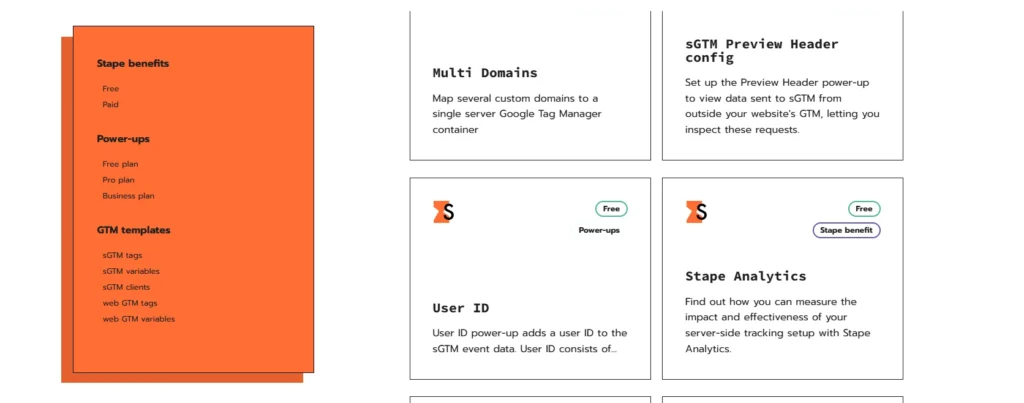
Global CDN: Delivers your tracking scripts faster to users worldwide.
Comprehensive Logging: See exactly what data is being sent, when, and to which platforms. This transparency was incredibly valuable for debugging and optimization.
2. Platform-Specific Gateways
Stape offers simplified gateways for specific advertising platforms:
- Meta Conversions API Gateway: Sets up Meta (Facebook and Instagram) server-side tracking in under 60 seconds. No coding required.
- TikTok Events API Gateway: Quick integration for TikTok advertising without complex technical setup.
- Snapchat Conversions API Gateway: Simplified Snapchat advertising tracking.
- Stape Gateway: Server-side tracking for Google Analytics 4 and Google Ads in the easiest possible way.
These gateways are perfect if you only need tracking for one specific platform and do not want to deal with the full Google Tag Manager server-side setup.
How Much Does Stape.io Cost?
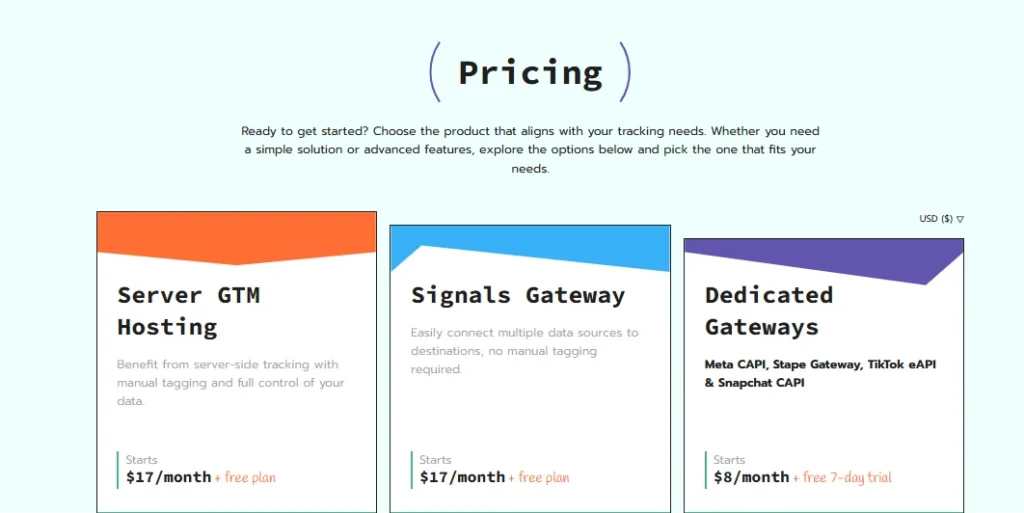
Server GTM Hosting Pricing
Freemium Plan: Available at $0 per month
- 1 server
- 10,000 requests included
- Perfect for testing or very small websites
Starting Plan: From $20 per month
- 3 servers for redundancy
- 500,000 requests included
- Suitable for small to medium websites
Higher Traffic Plans: Prices scale based on your needs
- More servers
- More requests
- Custom solutions available for enterprise
The pricing includes everything: hosting, monitoring, logs, and support. You pay one flat fee per month based on your traffic volume.
Gateway Pricing
The platform-specific gateways (Meta, TikTok, Snapchat, Stape Gateway) all include free trial periods, typically 7 days. After the trial, pricing starts at around $10/Pixel per month depending on the specific gateway and your traffic.
Why This Pricing Is Excellent Value
When I priced out setting up server-side tracking on Google Cloud Platform, I was looking at:
- Monthly hosting costs
- Additional charges for traffic
- Development time to configure everything
- Ongoing maintenance costs
- Monitoring and logging tools
Even with my technical background, I estimated this would cost me at least $100-200 per month plus dozens of hours of setup and maintenance time. Stape gives me the same functionality for $20-40 per month with virtually zero maintenance required.
How to Set Up Stape.io? (Step by Step)?
Initial Setup (Took Me About 15 Minutes)
Step 1: Created Account: I went to Stape.io and signed up for a free trial. They did not ask for a credit card initially, which I appreciated.
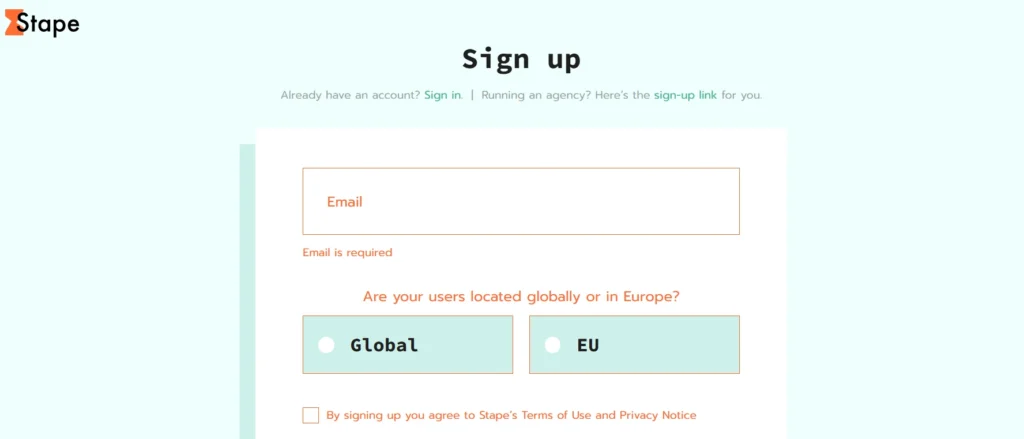
Step 2: Choose Server Type: I selected Server GTM Hosting with global hosting.
Step 3: Connected to Google Tag Manager: Stape provided simple instructions to link their server container to my existing Google Tag Manager account. This involved copying a container ID and pasting it into my GTM workspace.
Step 4: Configured Custom Domain: I set up a subdomain on my domain (like tracking.mydomain.com) to use instead of Stape's default URL. This ensures all data comes from my own domain, making it first-party data.
Step 5: Updated Website Code: I modified my Google Tag Manager implementation on my website to send data through the Stape server instead of directly to Google.
Fine-Tuning (Took Another Hour)
After the basic setup, I spent some time optimizing:
- Set up proper consent management to respect user privacy choices
- Configured server-side tags for Google Analytics 4
- Added server-side Google Ads conversion tracking
- Implemented Meta Conversions API for Facebook tracking
- Tested everything thoroughly. Here Stape's GTM Helper – Chrome extension – helped me a lot.
Ongoing Maintenance (Minimal)
After the initial setup, I spend maybe 10-15 minutes per month checking logs and ensuring everything runs smoothly. Stape handles all the infrastructure maintenance, security updates, and server monitoring automatically.
The Results I Saw with Stape
Let me share some concrete results from my own projects using Stape.
E-Commerce Client: 37% ROAS Increase
For one e-commerce client selling health supplements, we implemented Stape's GTM Server Hosting. Before Stape, their Facebook Ads were tracking about 62% of actual purchases due to iOS restrictions and ad blockers.
After implementing Stape:
- Conversion tracking improved from 62% to 93%
- Facebook's algorithm could optimize more effectively
- ROAS increased by 37%
- Cost per acquisition decreased by 20%
The client was spending $15,000 per month on Facebook Ads, so this improvement translated to significant additional revenue.
SaaS Client: 20% More Tracked Sign-Ups
A software-as-a-service client was losing tracking data for about 20% of trial sign-ups due to ad blockers and browser restrictions. This made it difficult to understand which marketing channels were actually working.
After implementing Stape with the Custom Loader power-up:
- Tracked sign-ups increased by 20%
- Attribution accuracy improved dramatically
- They could confidently increase spending on channels that were actually performing
- Better data allowed for more sophisticated remarketing campaigns
Agency Use: Standardized Solution Across Clients
As a digital marketing agency, I now use Stape for most of my clients. Having a standardized, reliable tracking solution means:
- Faster client onboarding
- Consistent data quality across all projects
- Less time spent troubleshooting tracking issues
- More time focused on actual marketing strategy
Key Features of Stape.io
After using Stape extensively, these features stood out as particularly valuable:
Built-In Logging and Monitoring
Stape provides comprehensive logging that shows exactly what data your server receives and sends. This transparency was crucial for debugging and understanding data flow.
I could see when tracking tags fired, what data they collected, and whether requests succeeded or failed.
Power-Ups for Enhanced Functionality
Stape offers several power-ups that extend functionality:
- Custom Loader: Makes tracking scripts invisible to ad blockers, recovering up to 40% of lost data.
- Cookie Keeper: Extends cookie lifetime beyond browser limitations, improving attribution accuracy.
- Stape Store: Allows you to write user data to a database and retrieve it later for data enrichment.
- Bot Filtering: Blocks bots and AI crawlers at the server level before they pollute your analytics.
Templates for Popular Platforms
Stape provides pre-built templates for dozens of platforms and tools, making implementation much faster. Instead of building custom integrations, I could use tested templates for:
- Google Analytics 4
- Google Ads
- Facebook Conversions API
- TikTok Events API
- Snapchat Conversions API
- Klaviyo
- And many more
Excellent Documentation and Support
The Stape helpdesk includes detailed documentation for every feature. When I had questions, their 24/7 support team responded quickly, usually within a few hours.
They also maintain an active community forum where users help each other.
Security and Compliance
Stape maintains almost all important certifications:
- SOC 2 compliance
- ISO certification
- HIPAA compliance for healthcare clients
- GDPR compliance for European data protection
This was particularly important for my clients in regulated industries.
What I Liked About Stape?
After months of use, these aspects consistently impressed me:
- Simplicity Without Sacrificing Power: Stape makes server-side tracking accessible without dumbing it down. I can implement basic tracking in minutes, but I also have the flexibility to build complex, custom solutions when needed.
- Cost-Effectiveness: At $20-50 per month for most websites, Stape costs a fraction of what I would spend setting up and maintaining equivalent infrastructure on Google Cloud or AWS.
- Reliability: In six months of use across multiple projects, I have experienced zero downtime. Stape's infrastructure is solid, and they monitor servers 24/7.
- Regular Updates and New Features: Stape continuously adds new features and templates. They stay current with changes in advertising platforms and privacy regulations.
- Time Savings: The biggest benefit is time saved. Instead of spending hours troubleshooting tracking issues or maintaining server infrastructure, I spend that time on activities that actually grow my clients' businesses.
Pros & Cons of Stape.io
Pros
- Simple setup for server-side Google Tag Manager.
- Improves tracking speed and accuracy.
- Helps you stay GDPR and CCPA compliant.
- Quick and helpful customer service.
- Smooth integration with major platforms.
Cons
- Needs some tech setup (like a custom domain)
Who Should Use Stape.io?
Based on my experience, Stape is ideal for:
E-Commerce Businesses
If you run an online store and advertise on Facebook, Google, TikTok, or other platforms, Stape will dramatically improve your tracking accuracy and advertising performance.
Digital Marketing Agencies
Agencies managing multiple clients benefit from Stape's standardized solution and ease of implementation across different projects.
SaaS Companies
Software companies need accurate conversion tracking for trial sign-ups, demos, and subscriptions. Stape ensures you do not lose this critical data.
Businesses with Significant Ad Spend
If you spend thousands of dollars monthly on digital advertising, accurate tracking is essential. Stape pays for itself many times over by improving campaign performance.
Privacy-Conscious Organizations
Companies that need to comply with GDPR, HIPAA, or other privacy regulations benefit from Stape's compliant infrastructure and data control features.
Who Might Not Need Stape?
Stape might be overkill if:
- You run a small blog with minimal traffic and no advertising
- You do not currently use tracking or analytics at all
- Your website is purely informational with no conversion goals
- You have an extremely limited budget (under $20/month for all tools)
Comparing Stape to Alternatives
I tested several alternatives before settling on Stape:
Google Cloud Platform (GCP)
Setting up server GTM on GCP is possible but complex. It requires:
- Cloud infrastructure knowledge
- Ongoing maintenance and monitoring
- Higher costs for equivalent functionality
- More technical headaches
Stape automates all of this while costing less.
Amazon Web Services (AWS)
Similar to GCP, AWS offers the infrastructure to run server-side tracking but requires significant technical expertise and ongoing management.
In-House Solution
Some large companies build their own server-side tracking infrastructure. This requires:
- Development team
- Infrastructure specialists
- Ongoing maintenance costs
- Security and compliance expertise
For most businesses, this approach costs far more than using Stape.
Is Stape.io Worth It?
After using Stape extensively for my own projects and client work, I can confidently say it is worth it for most businesses that depend on accurate tracking and advertising data.
The platform delivers on its promise to make server-side tracking accessible. Within minutes, you can have infrastructure running that would take weeks to build yourself. The cost is reasonable, the results are measurable, and the time savings are significant.
If you are experiencing any of these problems:
- Incomplete conversion tracking
- Poor advertising performance due to data loss
- Struggling with iOS tracking restrictions
- Concerned about browser privacy changes affecting your data
- Want better control over your customer data
Then Stape.io provides a practical, affordable solution.
The free trial makes it easy to test whether Stape works for your specific situation. I recommend trying it for at least two weeks to see the full impact on your data quality and advertising performance.
Before Getting Started Consider this:
If you decide to try Stape, here is what I recommend:
- Start With Free Trial: Test Stape without commitment using their free plan or trial period.
- Focus on One Platform First: Instead of implementing everything at once, start with your most important advertising platform (usually Facebook or Google Ads).
- Study the Documentation: Invest time in understanding server-side tracking concepts. Stape's academy and helpdesk provide excellent resources.
- Use Their Templates: Do not reinvent the wheel. Stape provides tested templates for most common use cases.
- Monitor Results Closely: Track your conversion data before and after implementation to measure the improvement.
- Get Support When Needed: Use Stape's 24/7 support team if you get stuck. They are knowledgeable and responsive.
Quicklinks:
- PropellerAds Review : Best Ad Network for Affiliates?
- Adsterra Review: Is This Leading Ad Network Worth Trying?
- The Best Ad networks for Publishers : Top Picks🔥
- Adplexity Review: Best Ad Spy Tool?
Conclusion
Stape.io has changed the way I handle website tracking and online advertising. It solves key problems like missing data, poor ad results, and time wasted fixing tracking issues.
For $20–$40 a month, it gives strong value. You save time, boost ad performance, and make better choices based on accurate data, often worth much more than the cost.
If you want to grow your online business with clear data, Stape.io is a solid tool. I use it often and recommend it to others facing tracking problems.
With stricter privacy rules and tracking limits, server-side tracking is no longer optional; it’s required. Stape.io helps you switch over in a simple and cost-effective way.
If you're doing serious digital marketing, Stape.io is likely the right choice.