
Proxy-cheap

- Affordable pricing
- Stable connection speeds
- High security levels
- Easy to configure
Bright Data

- Global IP coverage
- High-speed connections
- Residential IP support
- Low latency for gaming
Decodo

- Cost-effective plans
- Fast connection speeds
- Dedicated PS5 support
- Customizable proxy options
Are you tired of geo-restrictions blocking you from playing certain PS5 games or accessing exclusive content? Or maybe you’ve been dealing with lag and slow connections when gaming online?
A PS5 proxy server can help! By routing your traffic through a different server, a proxy can bypass restrictions, reduce ping, and even protect your data. But with so many options out there, how do you know which one is the best?
In this guide, we’ll go over the best PS5 proxy servers to help you enjoy smoother, unrestricted gaming. Whether you want faster speeds, better security, or access to region-locked content, we’ve got you covered. Let’s check it out..
What Is a PS5 Proxy Server?
A PS5 proxy server acts as an intermediary between your device and the websites you access, masking your real IP address and assigning a new one.
This enables you to bypass geographic restrictions, avoid IP bans, and perform high-volume activities like automated purchasing or inventory tracking without detection.
Proxy servers are particularly valuable for accessing stock drops and exclusive sales in different regions.
The Best PS5 Proxy Servers of 2026
1. Bright Data
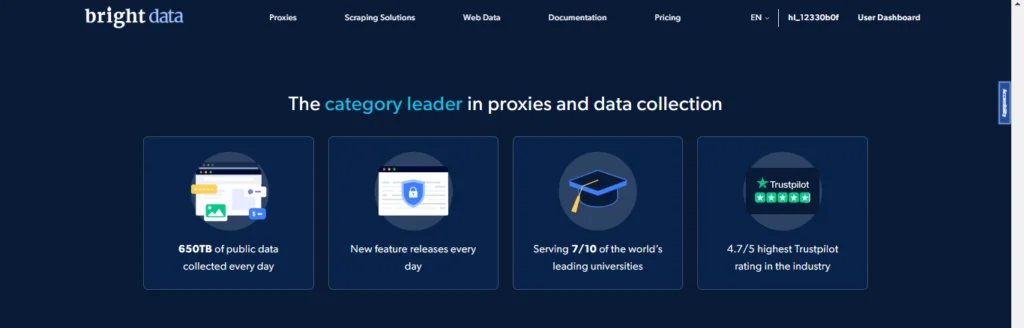
Bright Data, formerly known as Luminati, offers proxy services that work well for PS5 users. The company has a massive network, with over 72 million residential IPs from real devices. This helps gamers avoid detection. Bright Data also provides 770,000 datacenter proxies, 600,000 ISP proxies, and 7 million mobile proxies.
These proxies are ideal for PS5, allowing you to choose servers in different regions, such as the US or Europe. IP rotation prevents bans, while sticky sessions ensure a stable connection with a fixed IP. Bright Data supports both HTTP/HTTPS and SOCKS5 protocols, making it compatible with PS5.
Pricing is flexible, with residential proxies starting at $8.40 per GB, and datacenter proxies at $0.60 per GB. There are no minimum purchases, and a 7-day free trial is available. Monthly plans offer discounts, and custom pricing is available for enterprises.
Bright Data provides low latency (under 50ms in many areas) and 99.99% uptime, ensuring smooth gaming without interruptions. Customer support is available 24/7, and reviews highlight its reliability, with one user accessing Japanese games on PS5 and another praising multiplayer performance.
Setting up Bright Data on PS5 is easy. You can get credentials from the dashboard and enter the IP and port in your PS5 settings. A username and password may be needed, and Bright Data offers a guide with screenshots.
While the pricing may be high for casual users and the large proxy pool can be overwhelming for beginners, the service’s reliability and performance make it a top choice for PS5 users.
Key Features:
- Huge pool of over 150 million residential IPs
- Covers 195 countries with city targeting
- Supports residential, datacenter, ISP, and mobile proxies
- High uptime at 99.99%
- Advanced tools like proxy manager and unblocker
- Ethical sourcing and compliance focus
Pros
- Comprehensive network of residential, mobile, and data center proxies.
- Advanced IP rotation ensures uninterrupted access.
- High-speed connections reduce latency during purchases.
- Ideal for real-time monitoring and automation.
- Excellent customer support and documentation.
- Customizable targeting for specific regions and websites.
- Secure and anonymous connections to avoid bans.
Cons
- Premium pricing, best suited for professionals and resellers.
- Requires technical expertise for advanced configurations.
2. Decodo

Decodo, formerly Smartproxy, rebranded in 2025 but kept the same team since 2018. It focuses on flexible proxy services, ideal for PS5 users.
The pool includes 125 million IPs, mostly residential, covering 195 locations like the US, UK, Canada, Germany, Japan, and India.
Decodo offers various proxy types: residential (rotating or sticky), mobile (using real 3G to 5G devices), ISP (static), and datacenter (for speed).
Key features for PS5 include city and ASN targeting, rotating sessions, and 30-minute sticky sessions. It supports HTTP, HTTPS, and SOCKS5 protocols. A Chrome extension helps test setups, and integrations with tools like n8n are available.
Pricing is based on traffic. Residential proxies are $1.50 per GB, mobile at $8 per GB, and datacenter from $10 per month. Dedicated datacenter proxies are $7.50 per month. A free trial offers 100MB for 3 days, with a 14-day refund policy.
Decodo’s benefits for PS5 include a 99.86% success rate and 0.6-second response time. Customer support is available 24/7 via chat. Reviews highlight its ease of use, with users bypassing region blocks and enjoying low ping in multiplayer games.
To set up on PS5, choose a location from the dashboard, generate the endpoint, and copy the details into the PS5 network settings. A guide covers the process.
While Decodo offers strong performance, dedicated proxies are limited to the US, and pricing is better for bulk use. It is a great option for PS5 users looking for a balance between cost and features.
Key Features
- 125 million+ ethical residential IPs
- Global coverage in 195 locations
- Fast response time under 0.6 seconds
- Handles CAPTCHAs and bans well
- Supports residential, mobile, ISP, and datacenter
- 24/7 support and easy dashboard
Pros
- Affordable pricing for small to medium users.
- Reliable residential proxies for seamless scraping and browsing.
- Easy-to-use platform, perfect for beginners.
- High success rate in avoiding IP bans.
- Supports automated purchasing tools and bots.
- Flexible plans to accommodate different budgets.
- Rotating IPs provides effective anonymity.
Cons
- Limited advanced customization features.
- Not ideal for large-scale or enterprise-level operations.
3. Oxylabs
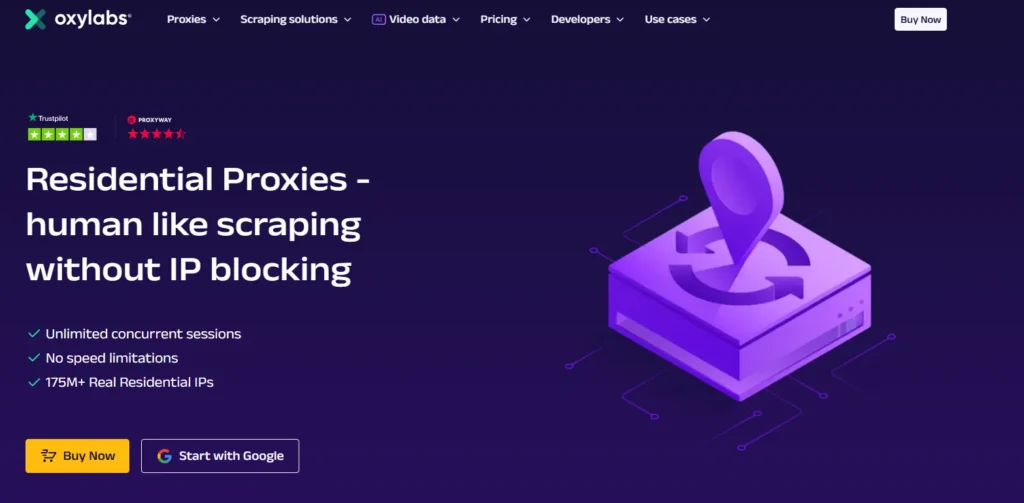
Oxylabs is a premium proxy provider that started in 2015 and focuses on ethical proxies. It is a solid choice for PS5 users, offering a high-quality service. The network includes 102 million residential IPs, 2 million datacenter IPs, and 20 million mobile IPs, covering 195 countries.
Key features of Oxylabs include AI optimization, city targeting, automatic IP rotation, and extended sessions. It supports all standard protocols, ensuring compatibility with PS5.
Pricing for residential proxies is $4 per GB, with volume discounts available. There is also a 1GB trial to test the service.
Oxylabs provides a low latency of 0.61 seconds and a 99.95% uptime, ensuring stable gaming. Customer support is available from experts. Users say it's stable and reliable for gaming, with PS5 users able to access global servers.
To set up Oxylabs on PS5, simply use the dashboard to select a server and enter the details into the console. A guide is available for setup on devices.
Oxylabs delivers high success rates and positive reviews for performance. It is great for PS5 users who want to unlock geo-restricted content and experience low lag. However, the pricing is on the higher side, and it may be complex for beginners.
Overall, Oxylabs is ideal for dedicated PS5 gamers who want top-tier performance.
Learn More About Oxylabs: Oxylabs Review: Best Proxy Provider in the Market?
Key Features
- Over 177 million residential IPs
- Covers 195 countries worldwide
- Ethical and high success rate over 99%
- Supports SOCKS5 and multiple proxy types
- City-level targeting available
- Strong focus on performance and security
Pros
- Large pool of residential and mobile proxies for wide coverage.
- High-speed and reliable connections for faster transactions.
- Advanced geotargeting capabilities.
- Excellent for large-scale automation and bot usage.
- Enterprise-level customer support and technical assistance.
- Dynamic IP rotation to avoid detection and bans.
- High success rate on complex and secure websites.
Cons
- It is expensive and best for large resellers or enterprises.
- Requires technical expertise for optimal use.
4. Proxy-Cheap
Proxy-Cheap is an affordable provider that offers good value for PS5 users. It helps gamers access content with 6.9 million rotating residential IPs, 1 million static residential IPs, 4 million mobile IPs, and IPv4/IPv6 datacenter proxies. It covers over 180 locations, including the US, UK, and Germany.
Features include unlimited bandwidth, automatic IP rotation, and no session limits. It supports HTTP and HTTPS protocols, which are compatible with PS5.
Pricing includes rotating residential proxies at $4.99 per GB, static residential proxies at $1.27 each, and plans starting at $9.95.
Proxy-Cheap offers 99.9% uptime, fast IP switching, and reliable service. Many users use it to bypass geo-restrictions. Reviews mention its reliability and solid performance.
Setting it up on PS5 is simple. Sign up, then copy the proxy details into the PS5 network settings.
The service provides high-speed performance, and users have shared positive feedback. Proxy-Cheap is a good option for PS5 users who want to bypass content restrictions and enjoy stable gameplay. However, it has fewer targeting options compared to other providers.
Overall, Proxy-Cheap is a great choice for budget-conscious PS5 users.
Key Features
- Affordable residential and mobile proxies
- Over 6 million rotating IPs
- Unlimited bandwidth on many plans
- Covers 180+ locations
- User-friendly dashboard and Chrome extension
- High uptime at 99.9%
Pros
- Budget-friendly pricing for casual users.
- Reliable residential and data center proxies.
- Easy to set up and manage without technical skills.
- Effective IP rotation prevents bans and interruptions.
- Good compatibility with retail and stock-monitoring tools.
- Flexible usage plans for different needs.
- Secure connections for safe transactions.
Cons
- Limited features for advanced or large-scale users.
- Slower speeds compared to premium providers
5. Shifter
Shifter is a versatile proxy service that offers a combination of residential and data center proxies. With unlimited bandwidth and rotating IPs, it is perfect for gamers and resellers looking to secure PS5 units or improve their online experience.
The service’s easy setup and compatibility with bots make it a reliable option for both beginners and experienced users.
Shifter is particularly appealing to individual buyers due to its simplicity and affordable pricing.
It allows users to bypass regional restrictions and avoid bans when accessing retail websites, making it easier to purchase products or access content that may otherwise be blocked.
Whether you are a gamer or a reseller, Shifter provides a dependable solution to meet your needs.
Key Features
- Large residential IP pool over 50 million
- Unlimited bandwidth included
- Automatic IP rotation
- Global coverage with geo-targeting
- Supports backconnect residential proxies
- Reliable for long sessions
Pros
- Unlimited bandwidth for high-volume scraping.
- Rotating IPs ensures anonymity and access.
- Easy setup with minimal configuration required.
- Affordable plans for individuals and small resellers.
- Compatible with bots for automated purchases.
- Reliable support for troubleshooting issues.
- Works well with most retail platforms.
Cons
- Lacks advanced targeting options.
- Not as fast as premium proxy providers.
Why Use a PS5 Proxy Server?
Proxy servers provide several advantages for PS5 buyers and resellers:
- Avoid IP Bans: Frequent website requests or the use of bots can lead to IP bans. Proxies help by rotating your IP address, ensuring uninterrupted access.
- Bypass Geographic Restrictions: Many retailers release PS5 stock in specific regions. Proxies allow you to access these sites from anywhere in the world.
- Increase Speed: Proxies can reduce latency by routing your connection through optimized servers, improving your browsing and purchasing speed.
- Enable Automation: Bots for purchasing or monitoring stock often require proxies to function effectively without detection.
How to Set Up a Proxy on Your PS5?
Once you’ve selected a proxy provider, follow these steps to configure the proxy on your PS5 and enjoy anonymous gaming.
Step 1:
Purchase proxies from a trusted provider and keep the details (IP address, port, username, and password) handy. You’ll need this information to configure the proxy. Note: Premium proxies typically aren't available for free.
Step 2:
Turn on your PS5 and navigate to “Settings,” then go to “Network” and select “Set Up Internet Connection.”
Step 3:
You’ll be given two options: “Use Wi-Fi” or “Use LAN Cable.” Choose the one that matches your preferred connection type.
Step 4:
If you select Wi-Fi, you'll be prompted to pick a network and enter your Wi-Fi password.
Step 5:
For the DHCP Hostname, choose “Do Not Specify.” Set both DNS and MTU to “Automatic.”
Step 6:
Enable the proxy server by selecting “Use” and enter the proxy’s IP address and port. Once you’ve entered the details, click “Next” to apply the settings.
FAQs
1. What is a PS5 proxy server used for?
PS5 proxy servers help users bypass geographic restrictions, avoid IP bans, and improve the chances of securing a PS5 during online restocks. They are also essential for automated purchasing and monitoring stock across multiple websites.
2. Are proxies necessary for buying a PS5?
While not mandatory, proxies significantly enhance your chances by masking your IP address, allowing multiple attempts, and accessing region-specific stock drops without detection.
3. Are free proxies safe for PS5 purchases?
Free proxies are often unreliable and insecure, with higher chances of IP bans and slower speeds. Paid proxy services offer better performance, security, and reliability, making them more suitable for critical tasks like buying a PS5.
4. Can proxies improve my speed during purchases?
Yes, proxies can reduce latency by routing your connection through optimized servers, especially if you’re connecting to websites in different regions. This can improve your chances of completing transactions quickly during high-demand restocks.
Quick links:
- Decodo Review (Formerly Smartproxy) : Best Proxy For Web Scraping?
- Oxylabs Review: Best Proxy Provider in the Market?
- Bright Data Review: Best Residential Proxy Provider?
- Shifter Proxies Review: Is It Trusted Backconnect Residential Proxy?
- The Best Performing Footsite Proxies
- HighProxies Review: Are Their Premium Proxies Worth Trying?
Conclusion
PS5 proxy servers are essential tools for gamers and resellers aiming to secure the console amid high demand and limited availability.
Whether you’re looking to bypass regional restrictions, avoid IP bans, or enhance your automation setup, choosing the right proxy server can make all the difference.
For 2026, Bright Data, Smartproxy, and Oxylabs stand out as top choices for their reliability and scalability. Affordable options like Proxy-Cheap and Shifter cater to casual users or small-scale operations.
When selecting a proxy server, consider your technical needs, budget, and the scale of your operation to ensure you choose the best solution for securing your PS5.





![9 Best Residential Proxies 2026 🌐 Our #1 Pick [99.3% Success Rate]](https://www.affiliatebooster.com/wp-content/uploads/2024/10/Best-Residential-Proxies--768x405.webp)