
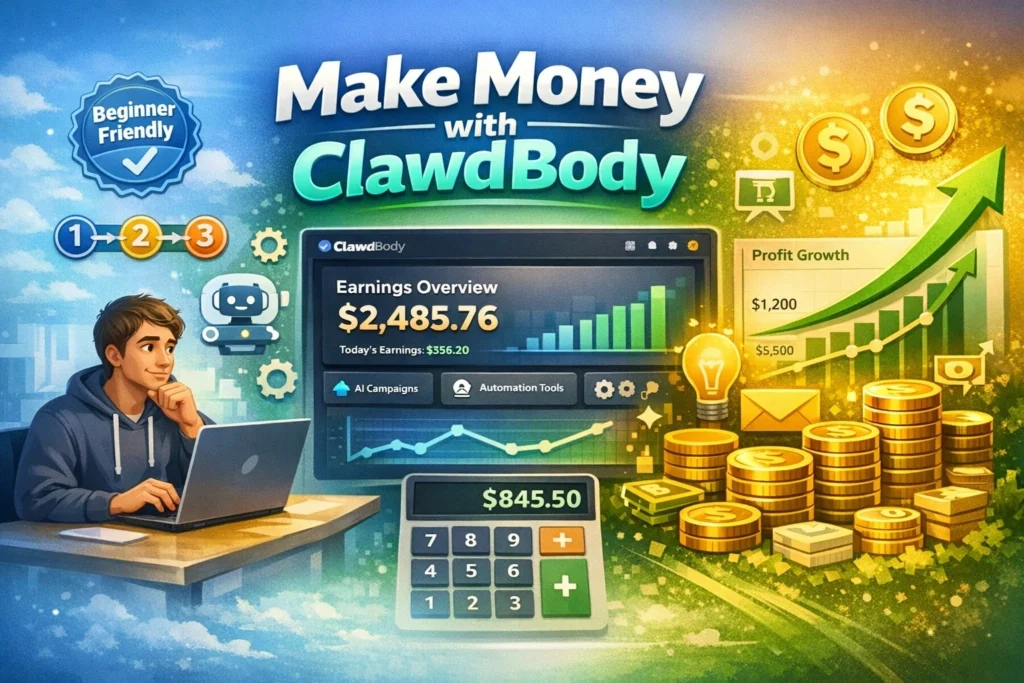
If you've been hearing about AI assistants and wondering how regular people are actually making money from them, you're in the right place.
I'm going to break down ClawdBody in the simplest terms possible and show you seven realistic ways to earn income – whether you're tech-savvy or not.
The AI revolution isn't just about robots taking jobs. It's also creating entirely new income opportunities for people who understand how to bridge the gap between AI capabilities and real-world needs.
ClawdBody is one of those opportunities, and the best part? You don't need a computer science degree to get started.
Let me walk you through everything you need to know.
What Exactly is ClawdBody? (No Tech Jargon)
Before we dive into making money, let's clear up what ClawdBody actually is. I'll explain it like I would to my neighbor over coffee.
Imagine hiring a super smart assistant who:
- Works 24 hours a day, 7 days a week
- Never needs sleep, coffee breaks, or vacation days
- Can handle boring, repetitive computer tasks automatically
- Remembers everything you tell it
- Costs way less than hiring a human employee
That's essentially what ClawdBody gives you access to. But here's the thing – it's not just one product. It's actually two things working together:
ClawdBot (also called MoltBot or OpenClaw) is the AI “brain” – the smart assistant software that can:
- Read and respond to your emails
- Send messages on WhatsApp, Telegram, or Discord
- Search the internet for information
- Schedule meetings and manage your calendar
- Learn your preferences over time
- Do tasks on your computer automatically
ClawdBody is the “body” – the cloud hosting service that keeps your AI assistant running 24/7. Think of it like renting office space for your assistant, except it's a virtual computer in the cloud that never shuts down.
Here's a simple analogy: If ClawdBot is like a smart personal assistant, then ClawdBody is like giving that assistant their own office with a computer that's always on, even when you're asleep or on vacation.
The real magic happens when these two work together. Your AI assistant keeps working in the background, handling tasks, monitoring things, and getting stuff done while you focus on more important things (or even while you're binge-watching Netflix).
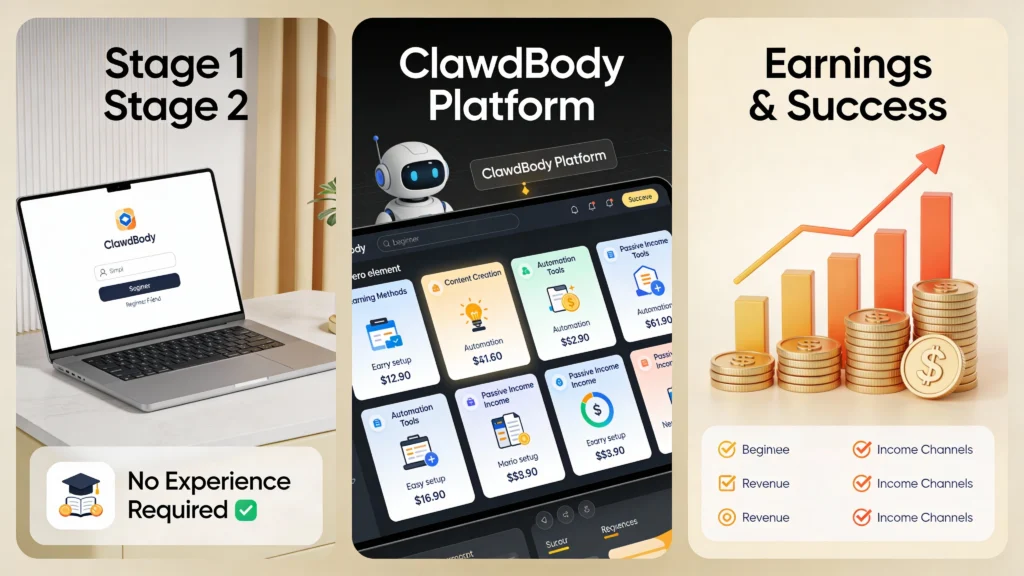
Quick Overview: 7 Ways to Earn Money
Before we dive deep into each method, here's a quick comparison table to help you see which option might fit you best:
| Method | Best For | Difficulty | Startup Cost | Potential Monthly Income | Time to First Dollar |
| Setup Services | People who like helping others | Easy | $0-50 | $500-$4,000 | 2-4 weeks |
| Sell Templates | Creative problem-solvers | Medium | $0-100 | $1,000-$3,000 | 4-6 weeks |
| Local Helper | People-person types | Easy | $50-200 | $2,000-$6,000 | 1-2 weeks |
| Run Errands | Anyone (easiest start) | Very Easy | $0 | $500-$1,500 | Immediate |
| Video Courses | Teachers/explainers | Medium | $0-300 | $1,000-$5,000 | 6-8 weeks |
| Maintenance Service | Organized, detail-oriented | Easy-Medium | $0-100 | $2,000-$5,000 | 4-6 weeks |
| Agency Partner | Business networkers | Medium | $0-50 | $3,000-$10,000 | 6-12 weeks |
Now let's break down each method in detail so you can pick the one that fits your skills and situation.
Method #1: Help Business Owners Set Up Their AI Assistant
This is probably the most straightforward way to start making money with ClawdBody. Think of yourself as an “AI installer” – like someone who sets up computers or internet, except you're setting up smart assistants.
Here's the reality: Most business owners have heard about AI and want to use it, but they have no idea where to start. They're busy running their businesses and don't have time to figure out technical stuff. That's where you come in.
What You Actually Do:
You meet with a business owner (could be a dentist, real estate agent, insurance broker, consultant, or any small business owner) and set up an AI assistant that handles their repetitive tasks.
Real-world example: Let's say you approach Sarah, a busy real estate agent. She spends 2-3 hours every day:
- Answering the same questions from potential buyers (“What's the square footage?” “Is the kitchen updated?” “Can I see it this weekend?”)
- Scheduling property viewings
- Sending follow-up emails after showings
- Reminding herself about appointments
You set up a ClawdBody AI assistant for Sarah that:
- Automatically responds to common questions based on property listings
- Lets clients book viewing appointments directly (synced with her calendar)
- Sends thank-you emails after viewings with relevant property information
- Sends Sarah reminders 30 minutes before each appointment
Result: Sarah saves 10-15 hours per week and can focus on actually selling homes instead of answering repetitive questions.
Your Income Breakdown:
- Initial setup fee: $300-$1,000 (one-time payment)
- You spend 2-4 hours setting everything up
- Includes training Sarah on how to use it
- You customize it specifically for her business
- Monthly maintenance: $100-$300 (recurring)
- You check in weekly to make sure everything's running
- Fix any issues that pop up
- Add new features as Sarah needs them
- Answer her questions when she's confused
Who Will Pay For This?
The beauty of this approach is that almost any small business owner dealing with repetitive tasks will benefit:
- Real estate agents (handling client inquiries, scheduling showings)
- Insurance agents (sending quotes, following up with leads)
- Consultants (scheduling calls, managing client communications)
- Dentists/Doctors (appointment reminders, answering common patient questions)
- Accountants (organizing client documents, deadline reminders)
- Wedding planners (vendor coordination, timeline management)
How to Get Started (Step-by-Step):
Week 1-2: Learn the basics
- Sign up for ClawdBody yourself (around $30-50 to start)
- Spend a few hours each day learning how it works
- Set up an AI assistant for yourself first (practice on your own tasks)
- Watch YouTube tutorials and read documentation
Week 3: Create your test cases
- Offer to set it up FREE for 2-3 friends or family members who run small businesses
- Document everything you do (take screenshots, write down steps)
- Learn from mistakes in a low-pressure environment
- Ask them for honest feedback and testimonials
Week 4: Start marketing
- Create a simple one-page website (use Wix, Squarespace, or even a Google Doc)
- Post in local Facebook business groups: “Overwhelmed with repetitive tasks? I help small businesses automate using AI”
- Reach out to your LinkedIn connections
- Attend local Chamber of Commerce or networking events
Week 5+: Land paying clients
- Offer your first 3 paying clients a “launch discount” (50% off)
- Over-deliver on service to get glowing testimonials
- Ask each happy client for 2-3 referrals
- Gradually raise your prices as demand increases
Realistic Income Timeline:
- Month 1: $0-$500 (learning and building case studies)
- Month 2: $800-$1,500 (first 3-5 paying clients at discounted rates)
- Month 3: $1,500-$3,000 (5-8 clients, some at full price + monthly maintenance kicking in)
- Month 6: $3,000-$5,000 (10-15 clients with steady monthly maintenance income)
The math: If you have just 10 clients paying $200/month for maintenance, that's $2,000 in predictable monthly income, plus whatever setup fees you earn from new clients.
Also read about: ChatGPT Background Agent: OpenAI’s Daily Smart Updates
Method #2: Create and Sell Ready-Made Templates
If you're more of a creative problem-solver who prefers working independently, this method might be perfect for you. Instead of doing custom work for each client, you create pre-packaged solutions that people can buy and use immediately.
Think of it like selling recipes instead of cooking individual meals. You create the “recipe” once, and people can buy it over and over.
What Are Templates?
Templates are pre-configured AI assistants designed for specific jobs or industries. You build them once, then sell them to multiple people who need the same functionality.
Popular Template Ideas:
For Content Creators ($79-99):
- Tracks trending topics in your niche (YouTube, TikTok, Instagram)
- Monitors your competitors' posting schedules
- Generates content ideas based on what's working
- Reminds you when it's time to post
- Tracks your engagement metrics
For E-commerce Sellers ($129-149):
- Monitors competitor prices automatically
- Alerts you when inventory gets low
- Responds to common customer questions instantly
- Posts products across multiple platforms
- Generates weekly sales reports
For Freelancers ($99-149):
- Sends invoice reminders to clients automatically
- Tracks project deadlines and sends alerts
- Manages multiple client communications
- Creates time-tracking reports
- Follows up on unpaid invoices
For Small Business Admins ($149-199):
- Organizes and prioritizes emails
- Schedules appointments without double-booking
- Sends meeting reminders to everyone
- Tracks expenses and receipts
- Creates monthly financial summaries
For Social Media Managers ($99-149):
- Schedules posts at optimal times
- Responds to common comments automatically
- Tracks engagement across platforms
- Identifies trending hashtags
- Generates weekly performance reports
How You Make Money:
Unlike custom setup services where you trade time for money, templates allow you to earn passive income. You create the template once and sell it hundreds of times.
Pricing strategy:
- Basic templates: $49-$79 (simple automation with 3-5 features)
- Premium templates: $99-$149 (comprehensive solutions with 8-10 features)
- Ultimate bundles: $199-$299 (multiple templates packaged together)
What You Actually Deliver:
When someone buys your template, they get:
- The pre-configured ClawdBot setup file (they can import it into their own ClawdBody)
- Step-by-step setup instructions (written in plain English with screenshots)
- Video walkthrough (10-15 minute video showing exactly how to use it)
- Customization guide (how to adjust it for their specific needs)
- Email support (optional, for 30 days after purchase)
Where to Sell Your Templates:
Gumroad (easiest option for beginners):
- Super simple to set up
- They handle all payments and file delivery
- Takes a small commission (10% on free tier)
- You get paid directly to your bank account
Your own website:
- Use Wix, Squarespace, or WordPress
- Use PayPal or Stripe for payments
- Keep 97-98% of the revenue (only payment processing fees)
- More professional looking
Marketplaces:
- Etsy (yes, they sell digital products!)
- Creative Market
- AppSumo (if you can get accepted)
Marketing Your Templates:
You don't need to be a marketing expert. Here's what actually works:
Create helpful free content:
- YouTube videos: “5 Tasks Every [profession] Should Automate”
- Blog posts: “How I Save 10 Hours Weekly with AI Automation”
- Twitter/X threads: Share before/after screenshots of automation
- TikTok/Instagram Reels: Quick demos of your templates working
Join relevant communities:
- Facebook groups for your target audience
- Reddit communities (r/entrepreneur, r/smallbusiness, r/freelance)
- LinkedIn groups for specific professions
- Discord servers related to productivity or automation
Offer a lead magnet:
- Create a FREE simple template or guide
- Collect email addresses
- Send weekly tips and occasionally promote your paid templates
Getting Started Roadmap:
Week 1-2: Research and build
- Survey people in your target audience about their pain points
- Build 2-3 templates solving their biggest problems
- Test thoroughly to make sure everything works
Week 3-4: Create marketing materials
- Record video walkthroughs of each template
- Write clear, detailed setup instructions
- Take screenshots and create before/after examples
- Design simple product graphics (use Canva)
Week 5-6: Launch
- Set up your Gumroad account
- Upload your first template
- Price it 50% off for “early adopters”
- Share in communities and ask for feedback
Week 7+: Iterate and expand
- Use customer feedback to improve templates
- Create new templates based on requests
- Build an email list of buyers for future launches
- Gradually raise prices as reviews come in
Realistic Income Potential:
- Month 1: $0-$200 (launch phase, learning what sells)
- Month 2: $400-$800 (15-20 sales as word spreads)
- Month 3: $800-$1,500 (building momentum, repeat customers)
- Month 6: $1,500-$3,000 (20-30 sales monthly, multiple templates)
The compound effect: As you create more templates, your monthly income grows. With 5 popular templates at $99 each, selling 25 total per month = $2,475.
Also read about: Agentic AI Retail Boom: Big Retailers Bet Big Despite Data Risks
Method #3: Become a Local “AI Setup Helper”

This is like being a handyman, but for AI assistants. You focus on your local area, meet clients face-to-face, and charge premium prices for personalized service.
The beauty of going local is that you avoid competing with thousands of people online. In your city, you might be one of the only people offering this service. Plus, people trust someone they can meet in person way more than a random person on the internet.
Why the Local Approach Works:
When you go local, several things work in your favor:
Trust factor: Meeting face-to-face builds instant credibility. Business owners can see you're a real person, not a scammer.
Word-of-mouth spreads fast: In tight-knit business communities, one happy client tells five others. Referrals become your main source of new business.
Less competition: While thousands of people offer online services, very few are doing this locally in your specific city.
Higher prices: Local, personalized service commands premium pricing. People expect to pay more for in-person help.
Ongoing relationships: You become “their AI person” and they call you whenever they need help, creating steady income.
Your Service Packages:
Basic Setup Package – $400:
What's included:
- Initial consultation at their office (30-60 minutes)
- Set up ClawdBody account for them
- Configure AI assistant for one main task
- 1-hour training session showing them how to use it
- Written instructions they can reference
- 2 weeks of email support for questions
Premium Setup Package – $800:
What's included:
- Everything in Basic package
- Configure AI for 3-5 different tasks
- Connect to multiple tools (email, calendar, messaging apps)
- Custom workflows specific to their business
- Train their staff (up to 3 people)
- One month of priority phone support
- One follow-up visit after 2 weeks
VIP Ongoing Partnership – $350/month:
What's included:
- Everything in Premium (one-time setup)
- Weekly check-ins to optimize performance
- Unlimited support calls
- Monthly training on new features
- Quarterly in-person strategy sessions
- First priority when they need help
Who Are Your Ideal Local Clients?
Focus on businesses that:
- Have repetitive admin tasks eating up time
- Make enough money to afford $400-800 for automation
- Are not super tech-savvy (they need your help)
- Value local, personal service
Top target businesses:
- Dental and medical offices
- Law firms and attorney offices
- Real estate agencies
- Insurance agents
- Accounting firms
- Wedding and event planners
- Home service businesses (plumbers, electricians, contractors)
- Gyms and fitness studios
- Restaurants (for reservation management)
- Car dealerships
Your Local Marketing Strategy:
Forget complicated online marketing. Focus on old-school methods that work in local communities:
1. Direct outreach:
- Visit 10 businesses per week in person
- Bring a simple one-page flyer
- Ask to speak with the owner/manager
- Offer a free 15-minute consultation
2. Networking events:
- Join your local Chamber of Commerce ($100-300/year)
- Attend weekly breakfast meetings or happy hours
- Give a 5-minute presentation about AI automation
- Collect business cards and follow up
3. Strategic partnerships:
- Partner with bookkeepers and accountants (they know all the local businesses)
- Partner with business coaches and consultants
- Offer them a referral commission (10-20% of first setup fee)
4. Simple local advertising:
- Run Facebook ads targeting business owners in your zip code ($10/day)
- Post in local Facebook business groups
- Sponsor a booth at local business expos
- Place ads in community newspapers or business journals
5. The “three-client snowball”:
- Offer your first 3 clients a 50% discount
- Over-deliver on service to make them incredibly happy
- Ask each one for 3 referrals to other business owners
- Those 9 referrals become your next wave of clients at full price
Sample Script for Approaching Local Businesses:
Here's exactly what to say when you walk into a business:
“Hi, my name is [Your Name]. I help local businesses save 10-15 hours a week by setting up AI assistants that handle repetitive tasks automatically – things like answering common customer questions, scheduling appointments, and sending follow-up emails.
I'm working with [mention a local business if you have one] and they're saving about $1,500 a month in time.
I'm offering free 15-minute consultations this week to local business owners. Would the owner have 15 minutes to chat about how this could help your business?”
Simple, direct, and focused on their benefit (saving time and money).
Real Success Story Example:
Let me share what this might look like in practice. Meet David, who started doing AI setup services in his mid-sized city:
Month 1:
- Visited 40 businesses, got 12 consultations
- Landed 3 clients at 50% discount ($200 each = $600)
- Spent evenings learning and improving his skills
Month 2:
- Those 3 clients referred him to 7 other businesses
- Closed 4 new clients at full price ($400 each = $1,600)
- Started getting calls from people who saw his Facebook posts
Month 3:
- Word spread at Chamber meetings
- Landed 6 new clients ($2,400)
- Upsold 2 existing clients to monthly maintenance ($700/month)
Month 6:
- Has 15 total clients with 8 on monthly maintenance ($2,400/month recurring)
- Getting 5-10 referrals per month
- Can pick and choose which clients to work with
- Earning $4,000-6,000 monthly
Realistic Income Timeline:
- Month 1: $400-$800 (first few discounted clients)
- Month 2: $1,200-$2,000 (referrals starting to come in)
- Month 3: $2,000-$3,500 (momentum building, some monthly clients)
- Month 6: $4,000-$6,000 (steady flow of new clients + recurring revenue)
The key advantage: This is high-touch, high-value work. You don't need dozens of clients to make good money. Just 10-15 solid local clients can provide a comfortable income.
Method #4: Run Errands for AI Agents (The Easiest Entry Point)
If all the technical stuff sounds intimidating, here's the good news: you can make money with ClawdBody without setting up a single AI assistant yourself. You just need to be willing to do physical tasks in the real world.
This is hands-down the easiest way to start earning because there's zero technical learning curve. If you can pick up a package, attend a meeting, or take photos, you can do this.
How This Actually Works:
AI assistants are incredibly smart and can do almost anything online, but they have one huge limitation: they can't interact with the physical world. They can't pick up packages, attend in-person meetings, or verify that a location actually looks like it does in photos.
That's where you come in. You become the “hands and feet” for AI assistants that need things done in the real world.
The platform: RentAHuman.ai (yes, that's a real website)
This platform connects AI agents that need physical tasks done with real humans who can do them. Think of it like Uber, but instead of driving people around, you're running errands for AI assistants.
What Kind of Tasks Will You Do?
These are real examples of tasks AI agents hire humans for:
Simple pickups and deliveries:
- Pick up a package from the post office
- Drop off documents at a specific office
- Collect items from a store and mail them
- Deliver printed materials to a location
Verification and reconnaissance:
- Visit a property and take detailed photos
- Verify that a business is actually open and operational
- Check if a location matches its online description
- Confirm posted business hours
In-person representation:
- Attend a meeting and take detailed notes
- Visit a networking event and collect information
- Represent a company at a product demo
- Sign documents on behalf of someone (with proper authorization)
Data collection:
- Take photos of specific locations at certain times
- Count foot traffic at a particular spot
- Check stock levels at stores
- Document physical conditions or changes
Event participation:
- Attend conferences and report back
- Visit grand openings and document the experience
- Participate in focus groups or surveys
- Check out competitor events
What You Get Paid:
The going rates on RentAHuman.ai vary by location and task complexity:
Standard tasks: $40-60 per hour
- Basic pickups and deliveries
- Simple verification tasks
- Photo documentation
- Short meetings
Specialized tasks: $75-100 per hour
- Professional representation at events
- Technical verification requiring expertise
- Time-sensitive urgent tasks
- Tasks requiring specific skills or access
Premium tasks: $100-150+ per hour
- Executive-level meeting representation
- Specialized industry knowledge required
- High-value document handling
- Complex multi-step tasks
Real Example of a Typical Task:
Let's walk through what an actual job might look like:
Task: “Verify and photograph downtown office space”
AI agent's request: “I need someone to visit 123 Main Street, Suite 400 tomorrow between 2-4 PM. Take 10-15 photos of the office space, verify the square footage matches the listing (approximately 1,500 sq ft), check if there's dedicated parking, and note the condition of the space. Please provide a written summary with your photos.”
Your process:
- Accept the task in the morning
- Drive to the location (20 minutes)
- Spend 30 minutes at the office taking photos and notes
- Drive home (20 minutes)
- Spend 15 minutes writing up summary
- Submit everything through the platform
Time invested: 1.5 hours Your rate: $50/hour Your earnings: $75
Payment: Sent directly to your crypto wallet (or bank account, depending on platform settings) usually within 24 hours.
Getting Started Step-by-Step:
Step 1: Create your profile (15 minutes)
- Go to RentAHuman.ai
- Sign up with your email
- Create a basic profile including:
- Your city/region
- Skills and capabilities
- Available hours
- Your hourly rate
- Preferred payment method
Step 2: Set your rate strategically
- Research what others in your area charge
- Start slightly below average to get your first few tasks
- Raise rates after you have 5-10 good reviews
Step 3: List your actual capabilities Be specific and honest:
- “Can handle pickups and deliveries within 20 miles of downtown”
- “Available for meetings and note-taking (professional background)”
- “Experienced with photography and documentation”
- “Have vehicle for transport tasks”
Step 4: Respond quickly to requests
- Check the platform 2-3 times daily
- Respond to requests within 30 minutes if possible
- AI agents often choose whoever responds first
Step 5: Over-deliver on your first tasks
- Be early, not just on time
- Take extra photos “just in case”
- Provide more detail in your notes than requested
- Be professional and responsive
- This builds your reputation fast
Step 6: Build your rating
- After each task, you get reviewed
- 5-star ratings lead to more work
- Good reviews mean you can raise your rates
- Become a “preferred human” for repeat AI clients
Tips to Maximize Earnings:
Be strategic about timing:
- Check the platform early morning and evening (peak request times)
- Be available during business hours (9-5) when most tasks happen
- Offer weekend availability for premium rates
Batch similar tasks:
- If you get multiple pickup requests in the same area, do them all in one trip
- Plan efficient routes to maximize tasks per hour
Specialize in something:
- If you have professional skills (legal, medical, tech), charge more
- Industry knowledge commands premium rates
- Bilingual? Offer services in multiple languages
Build relationships with AI agents:
- Some AI agents will request you specifically if you do good work
- Repeat clients mean steady income
- You become their “go-to” person
Realistic Income Potential:
This varies wildly based on how much time you commit and your location, but here are realistic scenarios:
Casual side hustle (5-10 hours/week):
- 8 hours monthly at $50/hour = $400/month
- Perfect for extra spending money
- Very flexible schedule
Active part-time (15-20 hours/week):
- 60-80 hours monthly at $55/hour = $3,300-4,400/month
- Good supplemental income
- Still time for other work
Full-time focus (30-40 hours/week):
- 120-160 hours monthly at $60/hour = $7,200-9,600/month
- Viable primary income in many areas
- Requires hustle and good reputation
Pros and Cons at a Glance:
Pros: ✅ Absolute easiest way to start (no technical skills needed)
✅ Get paid quickly (often within 24-48 hours)
✅ Completely flexible schedule (work when you want)
✅ No startup costs (just need transportation for some tasks)
✅ Can start earning immediately (no months of setup)
Cons:
❌ Income directly tied to your time (not passive or scalable)
❌ Need reliable transportation for many tasks
❌ Weather dependent for outdoor tasks
❌ Can be unpredictable (some weeks busy, some slow)
❌ Limited to tasks in your physical area
Also read about: Google AI Now Handles Holiday Shopping And Calls Stores
Method #5: Create and Sell Video Courses
If you're comfortable on camera and enjoy teaching, creating video courses about ClawdBody can generate serious passive income. Once you create a course, it can sell for months or years with minimal additional effort.
People are desperately searching for easy-to-understand tutorials on AI automation. Most existing content is either too technical or too vague. If you can explain things in simple terms with clear examples, there's a hungry audience waiting.
Why Video Courses Work:
People will pay for organized, step-by-step training because:
Time savings: They'd rather pay $97 for a structured course than spend 20 hours piecing together free YouTube videos
Hand-holding: They want someone to guide them through the exact steps, not just give them general information
Accountability: Buying a course creates commitment to actually learning and implementing
Support: Many courses include Q&A or community access, which free content doesn't offer
Course Ideas That Sell:
“ClawdBody for Busy Parents” – $47:
What you teach:
- Automating family calendar and schedules
- Managing household tasks and shopping lists
- Tracking kids' activities and school events
- Organizing family photos and documents
- Setting up automatic bill payment reminders
Who buys: Working parents juggling multiple kids' schedules
“Freelancer Automation Masterclass” – $97:
What you teach:
- Automatic invoicing and payment reminders
- Project deadline tracking and alerts
- Client communication management
- Time tracking and reporting
- Building client onboarding systems
Who buys: Freelancers, consultants, solo service providers
“E-commerce Automation Blueprint” – $127:
What you teach:
- Inventory monitoring across platforms
- Competitor price tracking
- Customer service automation
- Social media scheduling for products
- Sales reporting and analytics
Who buys: Online sellers on Etsy, eBay, Amazon, Shopify
“Real Estate Agent AI Assistant” – $197:
What you teach (very specific to industry):
- Client inquiry automation
- Showing scheduling system
- Follow-up sequences
- Market updates to client list
- Transaction deadline tracking
Who buys: Real estate agents (who have good budgets)
“Small Business Admin Bootcamp” – $77:
What you teach:
- Email organization and prioritization
- Appointment scheduling automation
- Expense tracking systems
- Invoice and payment management
- Employee/contractor onboarding
Who buys: Small business owners handling admin themselves
What Your Course Actually Includes:
A complete course package typically contains:
Video lessons (20-40 minutes total):
- 8-12 individual videos (each 3-5 minutes)
- Screen recordings showing exactly what to do
- Clear narration explaining each step
- Simple and organized (Intro → Setup → Features → Advanced → Conclusion)
Downloadable resources:
- PDF step-by-step checklist
- Template prompts they can copy-paste
- Troubleshooting guide for common issues
- Resource list (links to helpful tools)
Implementation support:
- Access to private Facebook group or Discord
- Weekly Q&A sessions (30-60 minutes)
- Email support for 30 days
- Updates when ClawdBody adds new features
How to Create Your First Course:
You don't need fancy equipment or professional video editing. Here's the honest truth about what works:
Equipment needed (under $200 total):
- Your smartphone or basic webcam (what you already have works fine)
- $50 microphone (Fifine USB mic from Amazon – decent audio matters)
- Free screen recording software (OBS Studio or Loom)
- Free editing software (DaVinci Resolve or iMovie)
- Good lighting (natural window light or $30 ring light)
Creating process (2-3 weeks):
Week 1: Planning and scripting
- Outline exactly what you'll teach
- Write rough scripts for each video (bullet points, not word-for-word)
- Gather examples and screenshots
Week 2: Recording
- Record all videos in 1-2 marathon sessions
- Don't aim for perfection – authentic and helpful beats polished but boring
- Expect to re-record segments (totally normal)
Week 3: Editing and packaging
- Edit out major mistakes and long pauses
- Add simple intro/outro slides
- Create downloadable PDFs
- Set up course platform
Where to Host and Sell Your Course:
Option 1: Teachable or Thinkific ($39-49/month)
Pros:
- Professional course platform
- Handles payments and student management
- Built-in email features
- You keep 100% of revenue (minus platform fee)
Cons:
- Monthly cost even if you don't sell anything
- Need to drive your own traffic
Option 2: Udemy (free to host, they take 50% commission)
Pros:
- Massive existing audience
- They market your course for you
- No upfront costs
- Get started immediately
Cons:
- They take half your revenue
- Frequent deep discounting (your $97 course often sells for $19.99)
- Less control over pricing
Option 3: Gumroad (free, 10% commission)
Pros:
- Super simple to set up
- Low commission
- You keep customer emails
- Clean, simple buying experience
Cons:
- Less fancy than dedicated course platforms
- You handle all marketing yourself
Recommendation for beginners: Start with Gumroad to validate your course idea. Once you're making consistent sales, upgrade to Teachable for better margins.
Marketing Your Course (Without Being Salesy):
Most course creators fail because they build the course and expect people to magically find it. Here's what actually works:
1. Free valuable content first:
- YouTube videos: “3 Tasks Every [Your Niche] Should Automate”
- Blog posts: “How I Saved 10 Hours Weekly Using ClawdBody”
- TikTok/Instagram: Quick 60-second automation tips
- Twitter threads: Share your automation journey
2. Build an email list:
- Offer a free mini-guide or checklist
- “Download my free 5-step ClawdBody setup checklist”
- Send weekly tips and occasionally mention your course
- This is how you'll make most sales
3. Launch to your audience:
- Tell your email list about the course with early-bird pricing
- Share testimonials from beta students
- Offer a limited-time launch discount
- Create urgency (not fake scarcity, but real deadlines)
4. Testimonials are gold:
- Give your course free to 5-10 people in exchange for detailed feedback
- Ask happy students for video testimonials
- Share these everywhere (your sales page, social media, emails)
5. Keep showing up:
- Post helpful content 3-4 times weekly
- Answer questions in relevant Facebook groups/Reddit
- Give value freely, mention your course occasionally
- Build trust over time
Realistic Income Timeline:
Course creation is a longer game, but the payoff can be significant:
Months 1-2: Creation phase ($0)
- Research and plan your course
- Record and edit all videos
- Create supplementary materials
- Set up sales page
Month 3: Beta launch ($500-1,500)
- Offer course at 50% off to beta students
- Gather testimonials and feedback
- Improve course based on feedback
Month 4-5: Full launch ($1,000-3,000)
- Launch at full price to your email list
- Run Facebook ads (small budget, $10/day)
- Get first organic sales from content marketing
Month 6+: Ongoing sales ($2,000-5,000)
- Consistent content marketing paying off
- Word of mouth spreading
- Potential to create additional courses
The compound effect: As you create more courses, your monthly income multiplies. With 3 courses at $97 each selling 20 copies/month total = $5,820/month.
Tips for Success:
Keep it simple and actionable:
- Don't try to teach everything about AI
- Focus on specific outcomes students can achieve
- Use lots of real examples
- Make it easy for beginners
Update regularly:
- When ClawdBody adds features, update your course
- Send update announcements to past students
- This builds loyalty and generates positive reviews
Build a community:
- Private Facebook group or Discord for students
- Students help each other
- You become the go-to expert
- Creates networking opportunities
Upsell opportunities:
- Basic course → Advanced course
- Course → One-on-one coaching
- Course → Done-for-you setup service
Method #6: Offer “AI Babysitting” (Maintenance Service)
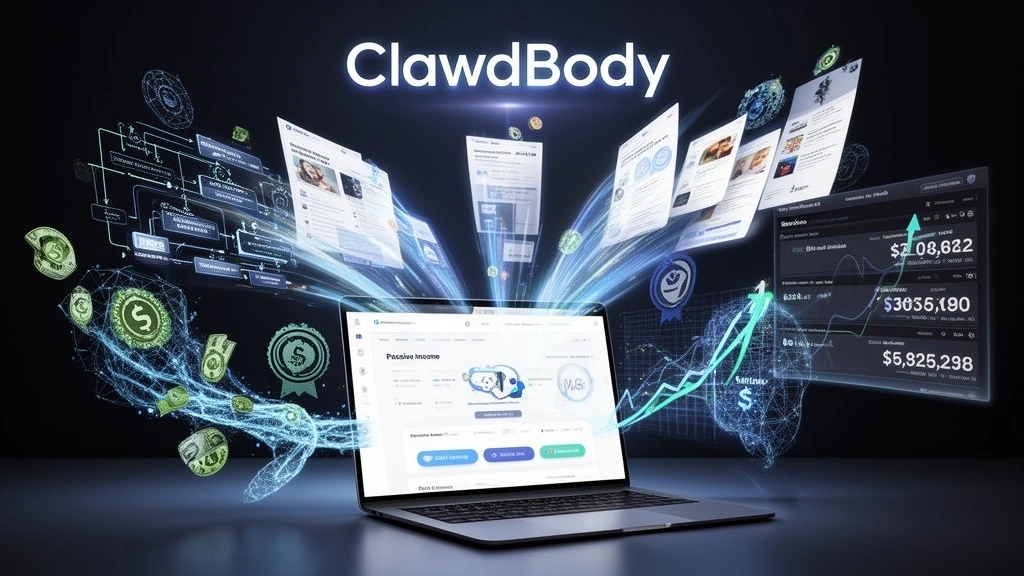
This is one of the most effective business models because it generates predictable, recurring income. You set up AI assistants for clients and charge them monthly to ensure everything runs smoothly.
Think of it like lawn service. People can mow their own lawns, but they prefer to pay someone to do it regularly so they never have to think about it.
Why Clients Love This Model:
Peace of mind: They know someone is watching their AI assistant and will fix problems immediately
No technical headaches: When something breaks or acts weird, they just email you instead of panicking
Continuous improvement: You proactively add features and optimizations they didn't know they needed
One less thing to worry about: They can focus on their actual business instead of managing technology
What You Actually Do:
Your monthly maintenance service includes:
Weekly monitoring:
- Check that everything is running properly
- Review logs for errors or unusual behavior
- Test key functions to ensure they're working
- Takes you 10-15 minutes per client weekly
Fix issues quickly:
- When something breaks, you fix it same day
- Client never has to troubleshoot themselves
- Most issues take 5-15 minutes to resolve
Monthly optimization:
- Look for ways to improve efficiency
- Add new features based on their evolving needs
- Update prompts to get better results
- Takes 30-45 minutes per client monthly
Reporting:
- Send a monthly summary showing what the AI accomplished
- Include time saved and tasks completed
- Justify your fee with data
- Takes 10 minutes per client monthly
Support:
- Answer questions when they're confused
- Provide quick training on new features
- Be their “AI expert on call”
Your Service Tiers:
Basic Monitoring – $150/month:
- Weekly automated checks
- Email support (24-hour response time)
- Emergency fixes when things break
- Monthly performance report
Premium Management – $250/month:
- Everything in Basic
- Bi-weekly optimization sessions
- Priority support (2-hour response time)
- Quarterly strategy calls
- One free feature addition monthly
VIP Partnership – $400/month:
- Everything in Premium
- Weekly optimization and improvements
- Unlimited support calls
- Monthly strategy sessions in-person or video
- Custom development as needed
Why This Model is So Profitable:
Let's do the math. Say you have 12 clients on your Premium plan ($250/month):
Monthly revenue: $3,000
Time investment per client:
- Weekly checks: 15 min × 4 = 60 min/month
- Monthly optimization: 45 min
- Support and communication: 30 min
- Total: 135 minutes (2.25 hours) per client per month
Total time for 12 clients: 27 hours/month
Your effective hourly rate: $111/hour
That's fantastic money for relatively predictable, low-stress work. And you can manage 12-15 clients without feeling overwhelmed.
How to Land Maintenance Clients:
Option 1: Upsell your setup clients
- After you set up someone's AI assistant, say: “Most clients find it helpful to have someone monitoring this monthly. Would you like me to send you the options?”
- 30-40% of setup clients will say yes to basic monitoring
- Easy upsell since they already trust you
Option 2: Fix-first approach
- Offer a one-time “AI Assistant Health Check” for $100
- During the check, identify 3-5 issues or improvements
- Present monthly maintenance as the solution
- “I found several areas we should keep an eye on. Would you like me to handle this ongoing?”
Option 3: Results-based marketing
- Create case studies showing before/after
- “Last month, my monitoring caught an error that would have cost Sarah 15 hours of manual work. She didn't even know there was a problem until I fixed it.”
- Focus on disaster prevention and continuous improvement
Client Retention Strategies:
The key to this model is keeping clients long-term. Here's how:
Monthly value reports:
- Show exactly what you did
- Quantify time saved: “Your AI handled 47 customer inquiries this month, saving approximately 8 hours”
- Include usage stats and improvements made
- Remind them of the value they're getting
Proactive improvements:
- Don't wait for them to ask for features
- Add small improvements monthly
- “I noticed you were manually doing X, so I automated it for you”
- Surprise and delight builds loyalty
Quick response times:
- When they have an issue, fix it fast
- Even if it takes you 5 minutes, quick response shows you're attentive
- Responsiveness is more valuable than technical skill to most clients
Quarterly check-ins:
- Schedule 15-minute calls every 3 months
- Ask what's working and what could be better
- Learn about changes in their business
- Adjust AI assistant to match their evolving needs
Tools That Make This Easier:
Monitoring tools:
- Set up automated alerts when things break
- Use uptime monitoring services (many free options)
- Get notified immediately instead of finding out from client
Client management:
- Simple spreadsheet tracking all clients
- Note what each AI assistant does
- Track renewal dates
- Record support conversations
Time tracking:
- Log time spent on each client
- Ensure you're profitable on every account
- Identify clients taking too much time (raise rates or let go)
Realistic Income Build-Up:
Month 1-2: Get first maintenance clients ($300-600)
- Convert 2-4 of your setup clients to maintenance
- Charge introductory rate of $150/month
Month 3-4: Build to 6-8 clients ($1,200-1,800)
- Mix of new clients and referrals
- Some at higher tiers
Month 5-6: Reach 10-12 clients ($2,500-3,500)
- Mostly referrals at this point
- Strong testimonials driving growth
Month 12: Sustainable business ($4,000-6,000)
- 15-20 clients at various tiers
- Very low churn (most clients stay long-term)
- Predictable, recurring income
Warning: Don't Overcommit
The temptation is to take on as many clients as possible. Resist this. Here's why:
Quality over quantity: It's better to have 12 happy clients getting great service than 25 clients you're neglecting
Your time is limited: Once you hit 15-20 maintenance clients, you're at capacity if you're solo
Higher value clients: Instead of adding more clients, raise rates or upsell to premium tiers
Hire help: If you want to scale past 20 clients, bring on a part-time assistant to handle monitoring
Method #7: Partner with Marketing Agencies (B2B Approach)
This is the most advanced strategy, but it has the highest income potential. Instead of finding clients one by one, you partner with agencies that already have dozens of clients who need automation.
You become the “AI automation specialist” for agencies that don't have this expertise in-house.
Why Agencies Need You:
Marketing agencies, web design firms, and business consultants have two problems:
Problem 1: Their clients keep asking about AI and automation, but they don't know how to deliver it
Problem 2: They're focused on their core service (marketing, design, consulting) and don't have time to learn ClawdBody
You solve both problems. The agency stays focused on what they do best, and you handle all AI automation work.
How the Partnership Works:
The agency:
- Identifies which of their clients need automation
- Introduces you as their “AI automation partner”
- May include your services in their proposals
- Handles client relationship and billing
You:
- Provide the actual ClawdBody setup and management
- Work as a “white label” partner (behind the scenes)
- Charge wholesale rates to the agency
- Focus only on delivery, not sales or marketing
Win-win-win:
- Client: Gets AI automation without finding another vendor
- Agency: Can offer more services and keep client longer
- You: Get multiple clients from one partnership
Finding the Right Agencies to Partner With:
Not every agency is a good fit. Look for:
Marketing agencies with 10-50 clients:
- Too small (under 10 clients) = not worth it
- Too big (100+ clients) = already have their own tech team
Service-based clients, not just design work:
- Ongoing client relationships (not one-time projects)
- Monthly retainers mean ongoing automation needs
Progressive, tech-forward agencies:
- Already talking about AI with clients
- Open to trying new solutions
- Not stuck in “we've always done it this way” mindset
Local agencies first:
- Easier to build trust in person
- Can meet face-to-face monthly
- Eventually expand to remote partnerships
Your Pitch to Agencies:
Here's a simple pitch that works:
“Hi [Agency Owner],
I noticed you work with a lot of [their niche] businesses. Many of them are probably asking you about AI automation right now.
I partner with agencies like yours to provide AI setup and management for their clients. You keep focusing on [marketing/design/consulting], and I handle all the automation work behind the scenes.
Your clients get better results, you add more value to your retainers, and you don't have to learn a whole new technology.
I'm working with [mention any agencies if you have them] and it's working really well. Would you be open to a quick call to see if this could help your clients?”
Pricing Structure for Agency Partnerships:
Wholesale rates to the agency:
- Your setup fee: $300-500 per client
- Your monthly maintenance: $100-150 per client
What the agency charges their client:
- Agency setup fee: $800-1,500 per client (they keep the difference)
- Agency monthly fee: $300-500 per client (they keep the difference)
Example: Agency has 20 clients, 10 of them need automation:
- You set up 10 clients: $4,000 (one-time)
- You maintain 10 clients: $1,200/month (recurring)
- Agency makes their margin on top of your fees
- You get steady stream of clients without marketing
Why Agencies Love This:
Increased client retention:
- Clients stay with the agency longer when they get more value
- Harder for competitors to poach clients getting multiple services
Higher monthly retainers:
- Can justify $500-1,000 more per month per client
- Automation shows measurable ROI
Competitive advantage:
- Most agencies don't offer AI automation yet
- Helps them win new client proposals
No additional overhead:
- Don't have to hire staff
- Don't have to train on new technology
- You handle everything
Starting Your First Agency Partnership:
Week 1: Research
- Identify 10-15 local agencies that fit the profile
- Check their website to understand their services and clients
- Find their owner/decision-maker on LinkedIn
Week 2: Outreach
- Send personalized emails to 5 agencies
- Offer a free pilot with one of their clients
- Schedule discovery calls
Week 3-4: Pilot project
- Deliver exceptional work on pilot
- Document results and time savings
- Get testimonial from agency and their client
Month 2+: Scale
- Roll out to more of that agency's clients
- Ask for referrals to other agencies
- Refine your processes based on what works
Managing Multiple Agencies:
As you grow, you might partner with 3-5 agencies:
Agency A (marketing firm): 8 clients needing automation Agency B (web design): 5 clients needing automation Agency C (business consulting): 12 clients needing automation
Total: 25 clients, all coming through partnerships
Your time investment: You're not doing sales or marketing. You focus purely on delivery.
Monthly income: 25 clients × $120 average wholesale maintenance = $3,000/month recurring (plus setup fees for new clients)
Long-Term Growth Strategy:
Year 1: Prove the model
- Partner with 1-2 agencies
- Get case studies and testimonials
- Refine your processes
- Earn $2,000-4,000/month
Year 2: Scale partnerships
- Add 3-5 more agencies
- Hire part-time help for routine work
- Create training materials for agencies
- Earn $5,000-10,000/month
Year 3: Build a real company
- Have 5-10 agency partnerships
- Team of 2-3 people handling delivery
- You focus on partnerships and quality
- Earn $15,000-25,000/month
Warning Signs (When to Walk Away):
Not every agency partnership works out. Watch for these red flags:
❌ Agency expects you to do all client communication (you're not their employee) ❌ Agency doesn't pay invoices on time ❌ Agency over-promises to clients what automation can do ❌ Agency tries to learn from you to cut you out later ❌ Agency squeezes your margins so low you're not profitable
Combining Multiple Methods (The Smart Approach)
Here's a secret: you don't have to choose just one method. Many successful people combine 2-3 approaches for diversified income.
Example Combination 1: “The Local Expert”
- Primary: Local AI setup services (#3) – $3,000/month
- Secondary: Maintenance for setup clients (#6) – $1,500/month
- Side hustle: Run errands on slow weeks (#4) – $400/month
- Total: $4,900/month
Why this works: Everything is local and face-to-face, which builds strong reputation fast. Maintenance provides predictable recurring income. Errands fill gaps in your schedule.
Example Combination 2: “The Digital Product Creator”
- Primary: Sell templates online (#2) – $2,000/month
- Secondary: Video course sales (#5) – $1,800/month
- Passive: Maintenance clients from course students (#6) – $900/month
- Total: $4,700/month
Why this works: All three support each other. Course students buy templates. Template buyers take courses. Some become maintenance clients. Build once, earn repeatedly.
Example Combination 3: “The Partnership Specialist”
- Primary: Agency partnerships (#7) – $5,000/month
- Secondary: Direct setup clients (#1) – $1,500/month
- Buffer: Templates for quick wins (#2) – $800/month
- Total: $7,300/month
Why this works: Agencies provide steady volume. Direct clients fill gaps. Templates are passive income requiring little time.
Example Combination 4: “The Full-Time Hybrid”
- Setup services: 5 new clients/month – $2,500
- Maintenance: 15 ongoing clients – $3,000/month
- Templates: Passive sales – $800/month
- Errands: 2 Saturdays/month – $600/month
- Total: $6,900/month
Why this works: Multiple income streams provide stability. If one slows down, others pick up slack. Scales gradually without overwhelm.
Your 90-Day Action Plan
Feeling overwhelmed with all these options? Here's a simple roadmap to get started in the next 3 months:
Month 1: Learn and Practice
Week 1-2: Foundation
- Sign up for ClawdBody ($30-50)
- Spend 1-2 hours daily learning how it works
- Set up an AI assistant for yourself
- Join ClawdBody communities online
Week 3: Pick your method
- Review the 7 methods above
- Choose 1-2 that match your skills and situation
- Be realistic about your time and resources
Week 4: Build proof
- Offer your service free to 2-3 friends/family
- Document everything with screenshots
- Get written testimonials
- Create simple before/after examples
Month 2: Launch and Learn
Week 5-6: Create marketing materials
- Simple one-page website (or even just a Google Doc)
- List your service and pricing
- Include testimonials from Week 4
- Create social media accounts
Week 7-8: Get first paying clients
- Offer launch discount (50% off)
- Reach out to 20-30 potential clients
- Goal: Land 3-5 paying clients
- Over-deliver on service quality
Month 3: Optimize and Scale
Week 9-10: Refine your process
- Document what worked and what didn't
- Create systems for repetitive tasks
- Raise prices to market rate
- Ask happy clients for referrals
Week 11-12: Scale up
- Remove launch discount
- Start second income method if ready
- Begin building email list
- Set 3-month goals for next quarter
By Day 90, you should have:
- 5-10 paying clients
- $1,000-3,000 in monthly income
- Clear systems and processes
- Testimonials and case studies
- Momentum and confidence
Frequently Asked Questions
Final Thoughts: Your Next Step
We've covered a lot in this guide. Seven different methods, detailed strategies, realistic income projections, and action plans. But information alone doesn't make money – action does.
Here's my challenge to you: Pick ONE method from this guide that resonates with you. Just one. Don't try to do everything at once.
Ask yourself:
- Which method matches my current skills?
- Which excites me enough that I'll actually follow through?
- Which fits my available time and resources?
Then commit to spending 30 days learning and testing that one method. That's it. Just 30 days of focused effort.
After 30 days, you'll either:
- Have your first clients and some income
- Have proof that validates the model
- Have learned enough to pivot to a different method
- Have built skills that are valuable regardless
The ClawdBody opportunity is real. AI automation is here to stay, and businesses need help implementing it. The question isn't whether there's opportunity – it's whether you'll take action on it.
The people making money with ClawdBody aren't necessarily the smartest or most technical. They're the ones who started, learned from mistakes, adjusted their approach, and kept going.
You can be one of them. Start today.
Useful Resources:
- ClawdBody official site: https://clawdbody.com/
- RentAHuman.ai: https://rentahuman.ai/
- ClawdBot GitHub: Search “clawdbot” or “moltbot” on GitHub for documentation
- Communities: Join Discord servers and Reddit communities about AI agents
- This guide: Bookmark this page and refer back as you progress through each method
Ready to start? Pick your method, set a 30-day goal, and take the first step today. Your future self will thank you.
More News To Read: